
Disclosure: This post contains affiliate links. I may earn a commission if you buy through them.
Last updated: April 10, 2026
Quick Answer: A septic tank backup is most often caused by a full tank, clogged pipes, or a failing drain field. Start by reducing water use immediately, check any pump breakers, and schedule a professional pumping. For ongoing bacterial health, a monthly treatment like Septifix Tablets can help prevent future backups before they start.
Key Takeaways
- The single most common cause of septic backups is sludge buildup from infrequent pumping
- Warning signs include slow drains, gurgling noises, sewage odors, and wet spots in the yard
- Pumping the tank is usually the first and most effective repair step
- Never flush wipes, feminine products, or paper towels — they clog septic lines fast
- Excess water loading (back-to-back laundry loads, long showers) overwhelms the system
- Tree root intrusion can crack pipes and restrict flow without any visible surface signs
- Chemical drain cleaners and bleach kill the beneficial bacteria your tank needs to function
- If a pump or lift station is part of your system, always check the breaker first
- Sewage backup inside the home is a Category 3 health hazard — act immediately
- Monthly bacterial treatments support healthy digestion and reduce backup risk year-round
What Causes a Septic Tank to Back Up?
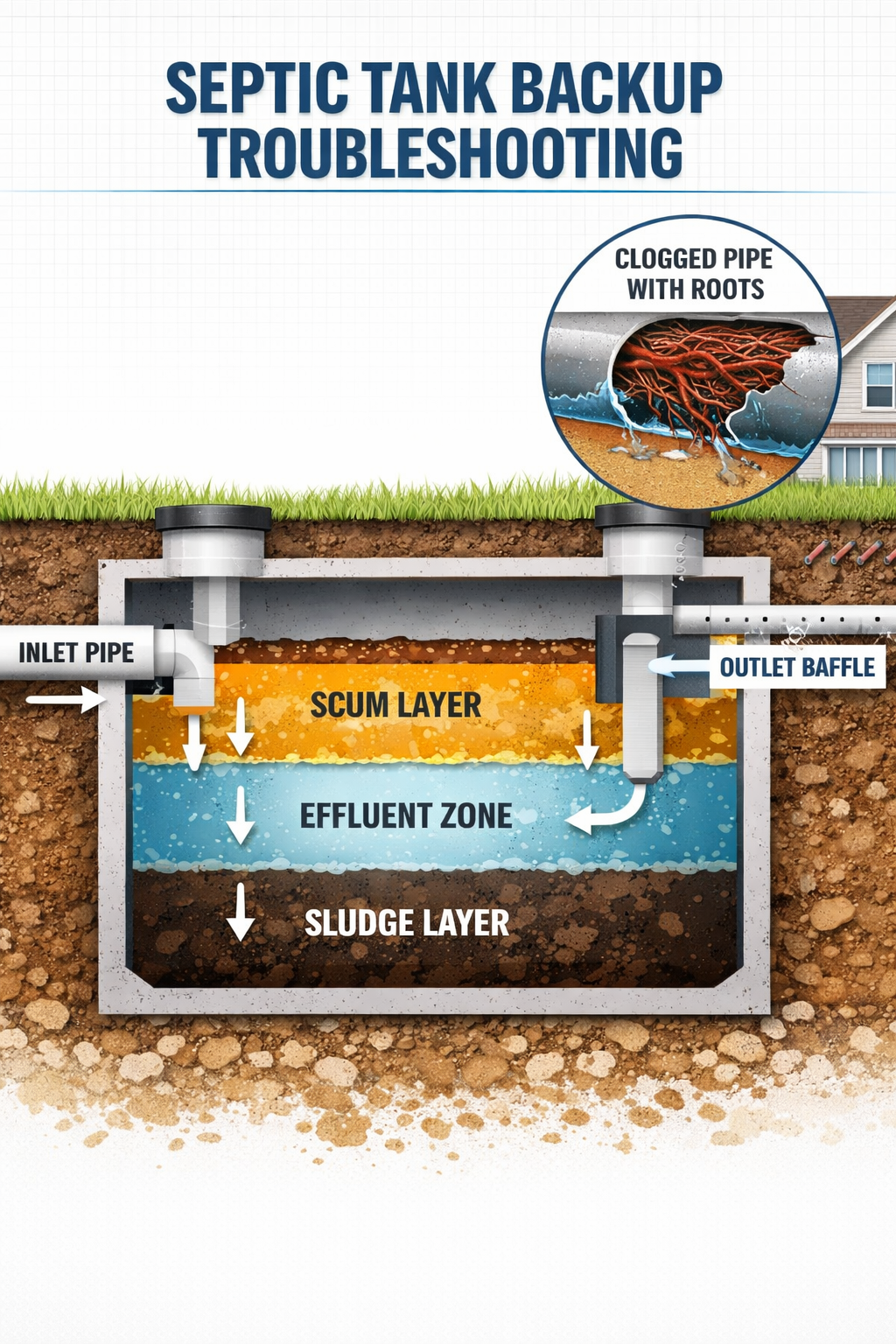
The number one culprit behind septic backups is sludge buildup from tanks that haven’t been pumped often enough. When solid waste accumulates past a safe level, it blocks the outlet and pushes wastewater back toward your home.
Beyond a full tank, here are the most common causes:
| Cause | What Happens | How to Prevent It |
|---|---|---|
| Sludge buildup | Solids block outlet, flow reverses | Pump every 1–3 years |
| Clogged inlet/outlet pipes | Non-flushables create blockages | Only flush toilet paper |
| Tree root intrusion | Roots crack pipes, restrict flow | Avoid driving over the drain field |
| Drain field failure | Soil can’t absorb effluent | Avoid driving over drain field |
| Excess water loading | Solids don’t settle properly | Spread laundry over several days |
| Pump or breaker failure | Tank fills rapidly, backup follows | Inspect pump annually |
Common mistake: Many homeowners assume slow drains mean a simple clog. If multiple drains in the house are slow at the same time, that points to the septic system — not a single pipe.
What Are the Warning Signs of a Septic Backup?
Septic backups rarely happen without warning. Catching early signs gives you time to act before sewage reaches your floors.
Watch for these red flags:
- 🚿 Slow drains throughout the home — not just one sink or toilet
- 🔊 Gurgling sounds from drains or toilets after flushing
- 💧 Standing water or soggy patches above the drain field or tank area
- 🦨 Sewage odors inside the house or in the yard
- 🚽 Toilets that bubble when you run a sink or washing machine
“Warning signs like slow drains and gurgling noises are critical early indicators that require immediate attention.” — Alpha Environmental
If you’re seeing more than one of these signs together, stop using water-heavy appliances and check your system right away. For a deeper breakdown of what these signs mean, see our guide on signs your septic tank needs maintenance.
Septic Tank Backup Troubleshooting: Step-by-Step
When a backup happens, follow these steps in order before calling a professional. This systematic approach saves time and often saves money.
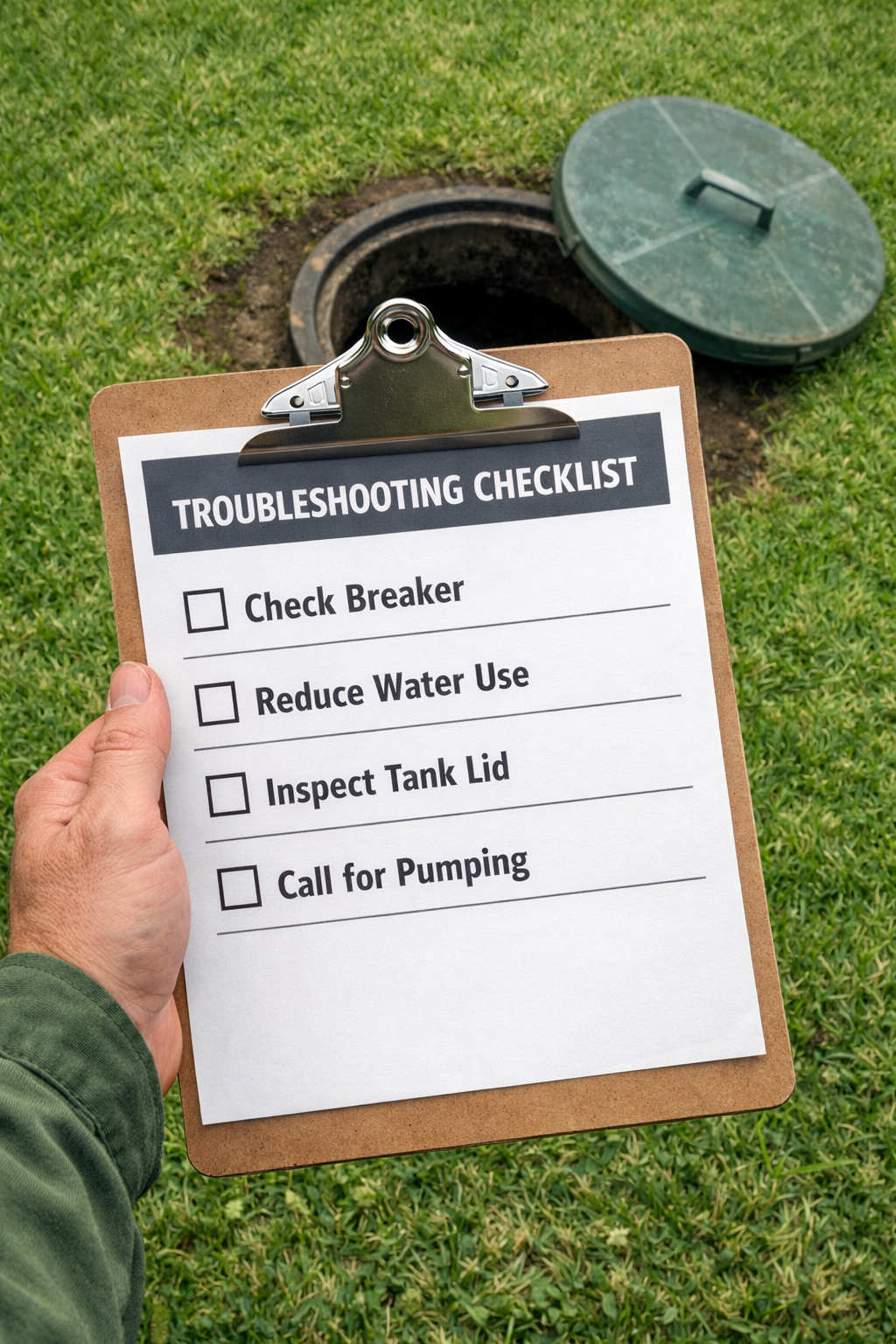
Step 1 — Stop adding water to the system. Turn off washing machines, dishwashers, and limit toilet flushing. Every gallon you add makes the backup worse.
Step 2 — Check the breaker. If your system has a pump or lift station, a tripped breaker can cause the tank to fill rapidly. Reset it and monitor the system for 30 minutes.
Step 3 — Locate your tank and inspect the lid. Look for obvious signs of overflow around the lid. If you’re unsure where your tank is, our guide to locating your septic tank walks you through it.
Step 4 — Check the effluent filter. Many tanks have a filter on the outlet baffle. A clogged filter is a fast fix — rinse it with a garden hose over the tank opening (not on the lawn).
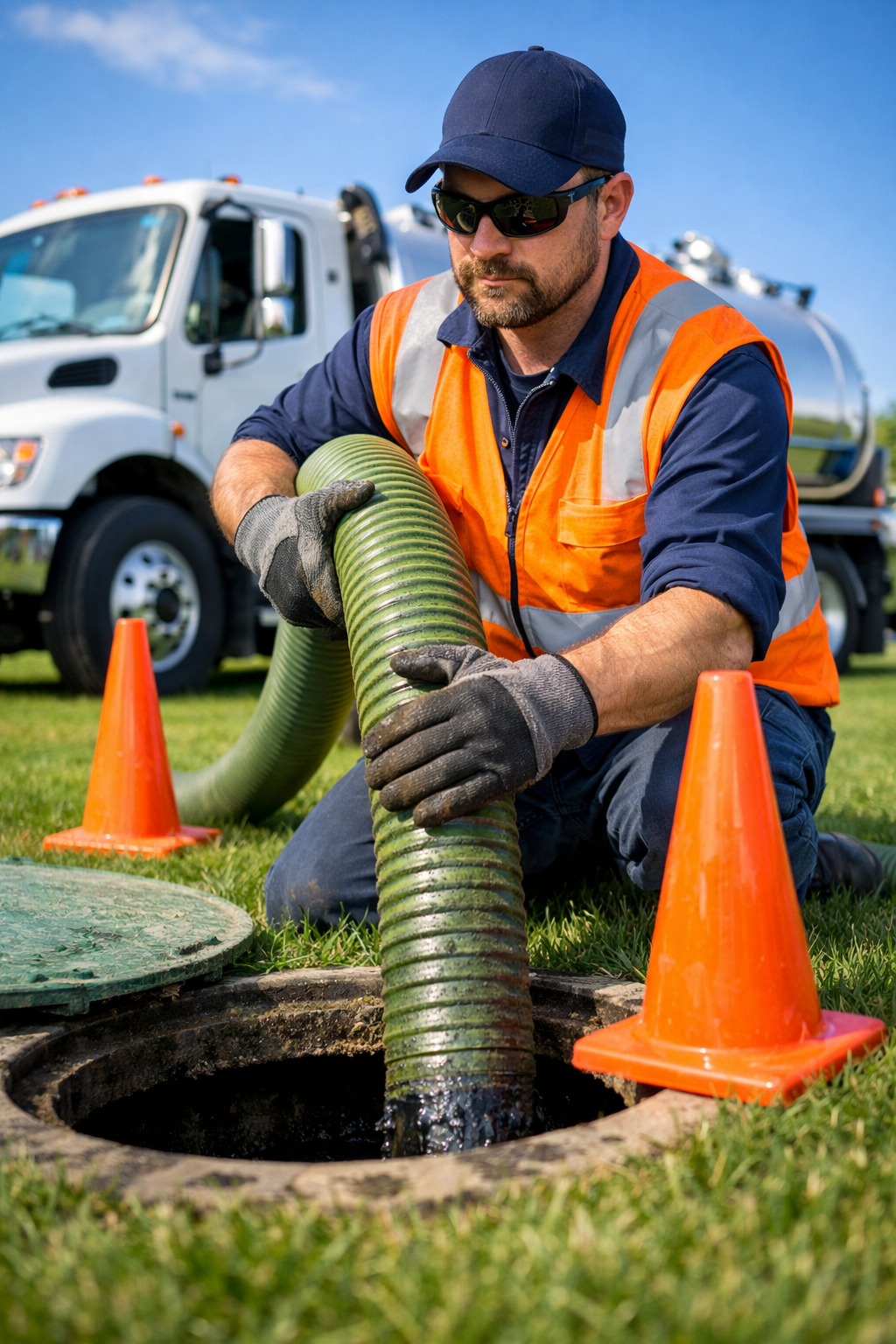
Step 5 — Call a licensed pumping service. Pumping the tank is the most effective first repair for most backups. Don’t skip this step, hoping the problem resolves itself.
Step 6 — After pumping, add a bacterial treatment. Pumping removes beneficial bacteria along with sludge. A monthly tablet like Septifix restores the bacterial balance that keeps your system digesting waste properly.
Step 7 — Schedule a full inspection. If the backup returns after pumping, the problem may be in the drain field or pipes. A complete inspection identifies underground issues that surface checks miss.
How Do You Fix a Septic Backup Caused by a Clogged Line?
Clogged septic lines are usually caused by flushing items that don’t break down — wipes (even “flushable” ones), feminine hygiene products, paper towels, and excessive toilet paper.
What you can do:
- Use a toilet auger (plumber’s snake) on individual drains to clear localized clogs
- Avoid chemical drain cleaners — they destroy the beneficial bacteria in your tank
- Switch to septic-safe, enzyme-based drain cleaners only
- For recurring clogs, have a professional run a camera through the line to check for root intrusion or pipe damage
Choose a professional if: the clog affects multiple drains simultaneously, or if snaking the line doesn’t clear it within two attempts. That pattern points to a main line or tank issue, not a fixture-level clog.
For more on what you should never put down the drain, see our complete guide on what not to put in a septic tank.
When Does Septic Tank Backup Troubleshooting Require a Professional?
Some backup situations go beyond DIY fixes. Knowing when to call a pro prevents a bad situation from becoming a health crisis.
Call a professional immediately if:
- Sewage is backing up into toilets, tubs, or floor drains inside your home
- You see raw sewage surfacing in your yard
- The backup returns within days of pumping
- You smell sewage but can’t identify a source
- Your drain field area is consistently soggy or has dead grass patches
Sewage inside the home is classified as a Category 3 water loss — a serious biohazard that requires professional cleanup, not just mopping [5]. Restoration costs can run into the thousands if not addressed quickly.
If the drain field is failing, options include aeration treatment, field rejuvenation products, or, in severe cases, a new drain field installation. Our complete troubleshooting guide for septic issues covers each scenario in detail.
How Can You Prevent Future Septic Backups?
Prevention is far cheaper than repair. Most backups are avoidable with a consistent maintenance routine.
Core prevention habits:
- Pump on schedule — every 1 to 3 years, depending on household size. A family of four typically needs pumping every 3 to 5 years, but high water usage shortens that window.
- Spread water use out — run one laundry load per day instead of six loads on Saturday
- Protect your drain field — don’t park vehicles on it, plant trees near it, or let water from gutters drain onto it
- Use bacterial treatments monthly — beneficial bacteria break down solids and keep the system balanced. Septifix Tablets are a simple monthly drop-in that supports bacterial health between pumpings
- Inspect annually — have a pro check the tank level, baffles, and filter each year
For a full year-round schedule, see our septic tank maintenance schedule guide.
FAQ: Septic Tank Backup Troubleshooting
Q: How do I know if my septic tank is backing up or if it’s just a regular drain clog?
A: If only one drain is slow, it’s likely a localized clog. If multiple drains throughout the house are slow or gurgling at the same time, the problem is almost certainly the septic system.
Q: Can I use bleach to clean drains connected to a septic system?
A: No. Bleach kills the beneficial bacteria in your tank that break down waste. Use enzyme-based, septic-safe cleaners only.
Q: How often should a septic tank be pumped to prevent backups?
A: Every 1 to 3 years is the general recommendation, with 3 to 5 years being typical for average-sized households. Larger families or heavy water users should pump more frequently.
Q: What should I do first when I notice a septic backup?
A: Stop using water immediately, check the breaker if you have a pump system, and call a licensed pumping service. Don’t wait to see if it resolves on its own.
Q: Can tree roots really cause a septic backup?
A: Yes. Tree roots actively seek moisture and can penetrate septic pipes and tanks, restricting or completely blocking flow. This is one of the five primary causes of backups.
Q: Is it safe to be in my home during a septic backup?
A: Limit exposure to sewage-affected areas. If sewage has entered the home, treat it as a biohazard — ventilate the space and call a professional for cleanup.
Q: Will pumping the tank always fix a backup?
A: Pumping fixes most backups caused by a full tank or sludge buildup. If the backup is caused by a drain field failure or broken pipe, pumping provides temporary relief but won’t solve the underlying problem.
Q: How do bacterial treatments help prevent backups?
A: Beneficial bacteria break down solid waste in the tank, reducing sludge accumulation between pumpings. Monthly treatments maintain healthy bacterial populations, especially after using antibiotics, bleach, or harsh cleaners.
Q: What’s the fastest way to unclog a septic line?
A: A toilet auger or plumber’s snake handles most localized clogs. For main line clogs, a professional hydro-jet service is the most effective option. See our guide on how to unclog a septic drain for step-by-step instructions.
Q: Can heavy rain cause a septic backup?
A: Yes. Saturated soil around the drain field prevents liquid absorption, pushing wastewater back toward the tank and eventually the home. Reduce indoor water use during and after heavy rain events.
Conclusion
Septic tank backup troubleshooting doesn’t have to feel overwhelming. Most backups trace back to a handful of preventable causes — a full tank, a clogged line, root intrusion, or too much water at once. Catching warning signs early and acting fast protects your home, your health, and your wallet.
Your action plan starting today:
- Note when your tank was last pumped and schedule service if it’s been more than 3 years
- Stop flushing anything other than toilet paper
- Spread laundry and water-heavy tasks across the week
- Add a monthly bacterial treatment to your routine — try Septifix Tablets here for an easy, consistent solution
- Bookmark our 21 simple septic tank maintenance hacks for ongoing reference
A well-maintained septic system can last 25 to 40 years. A neglected one can fail in a fraction of that time. The steps above take minimal effort — and they make a real difference.
References
[1] Why Do Septic Tanks Back Up Common Causes And Fixes – https://www.justindorseyplumbing.com/why-do-septic-tanks-back-up-common-causes-and-fixes/
[2] Septic Tank Backup – https://alphaenvironmental.net/blog/septic-tank-backup/
[3] Causes Of Septic Backup And How To Prevent Them – https://skipswastewater.com/blog/causes-of-septic-backup-and-how-to-prevent-them/
[4] Why Is My Septic System Still Backing Up After Troubleshooting – https://biomicrobics.com/uncategorized/why-is-my-septic-system-still-backing-up-after-troubleshooting/
[5] Septic Tank Troubleshooting Made Simple – https://mathisandsonsseptic.com/mathis-sons-septic-blog-orlando-fl/septic-tank-troubleshooting-made-simple/