
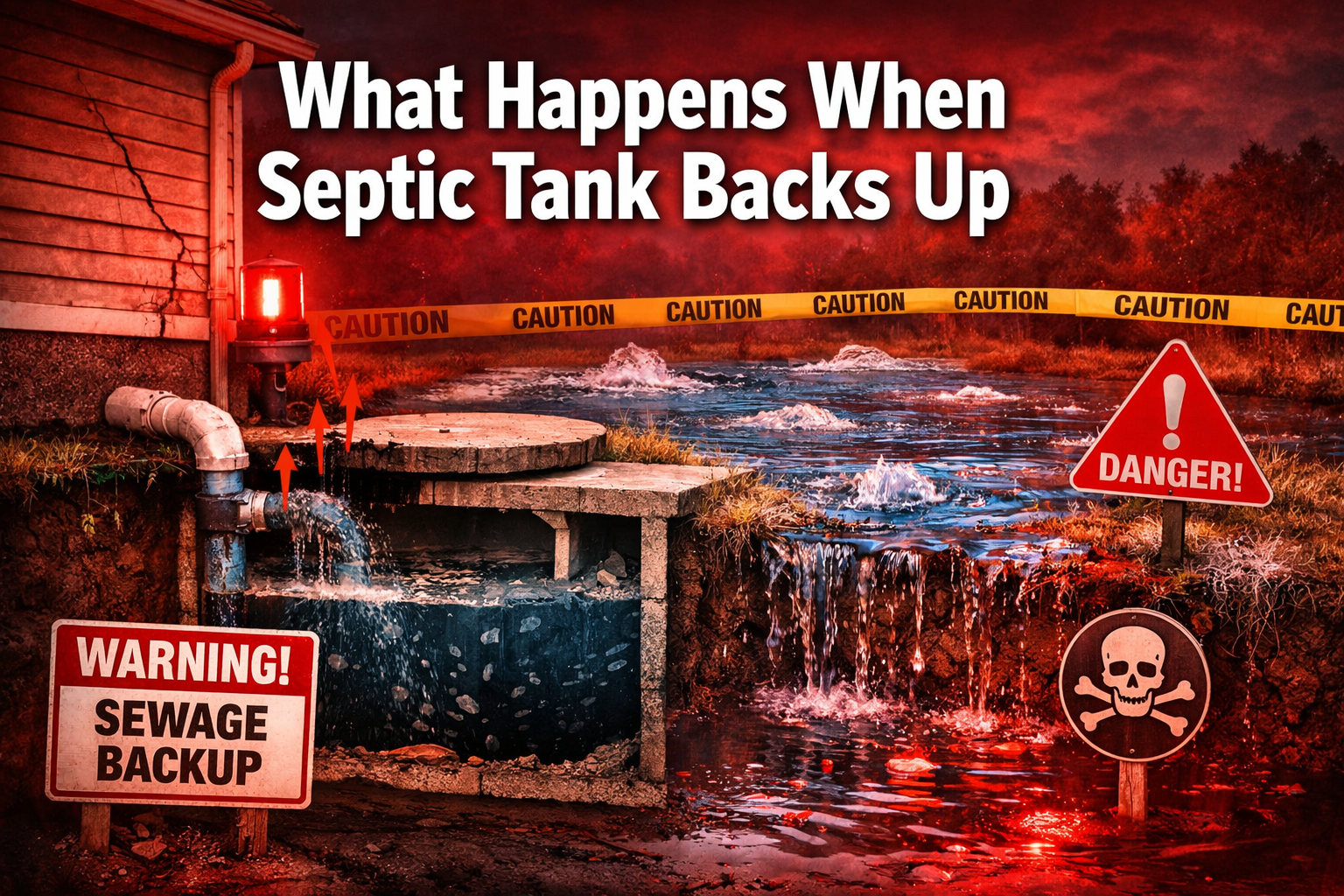
Last updated: February 22, 2026
Key Takeaways
• Septic backups cause sewage to flow backward into your home through drains, toilets, and basement fixtures
• Warning signs include slow drains, bad odors, gurgling sounds, and wet spots in your yard
• Common causes are sludge buildup from infrequent pumping, saturated drain fields, and excessive water usage
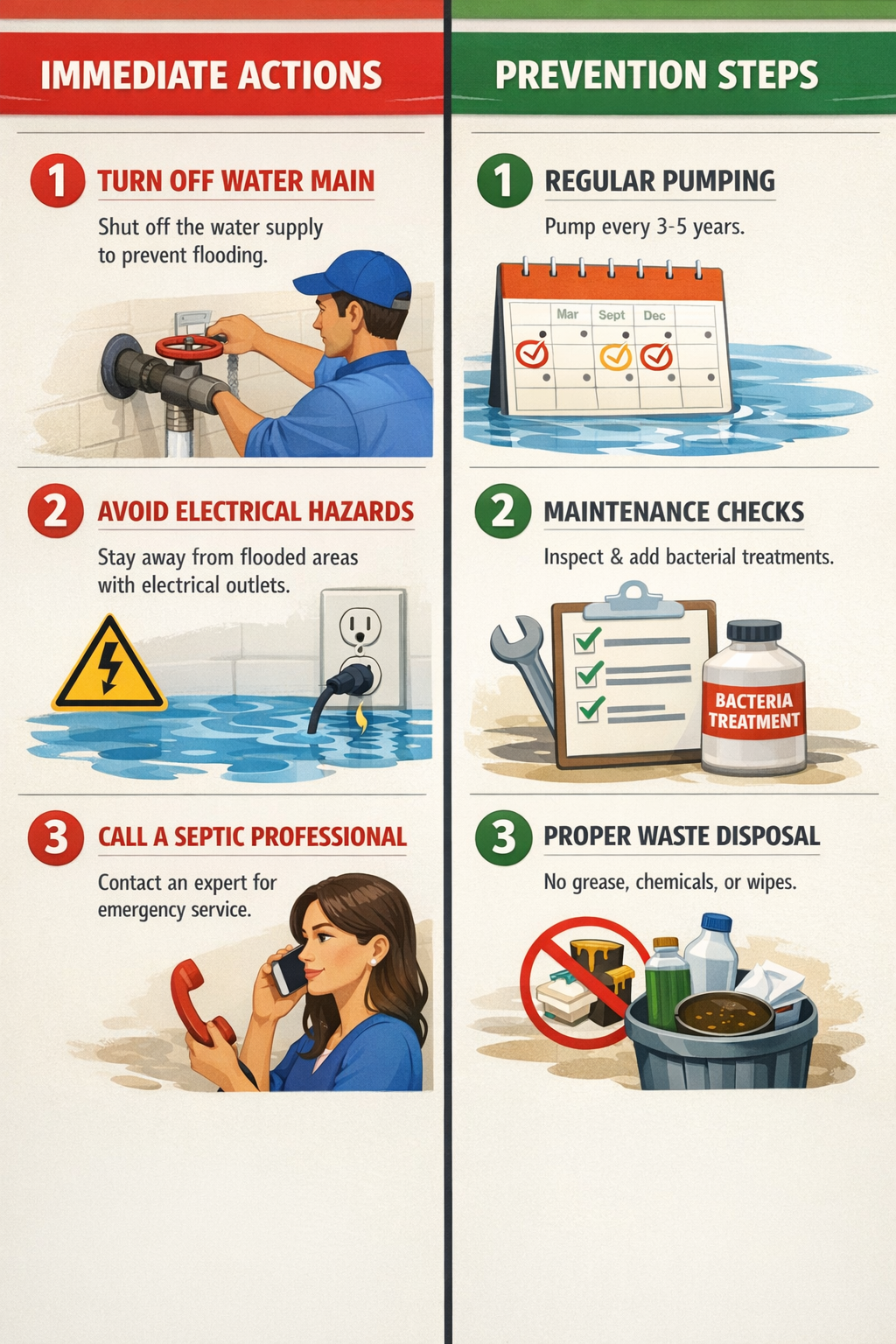
• Immediate action required: stop water usage, avoid electrical hazards, and call a septic professional
• Prevention through regular pumping every 3-5 years and proper maintenance saves thousands in repairs
Quick Answer
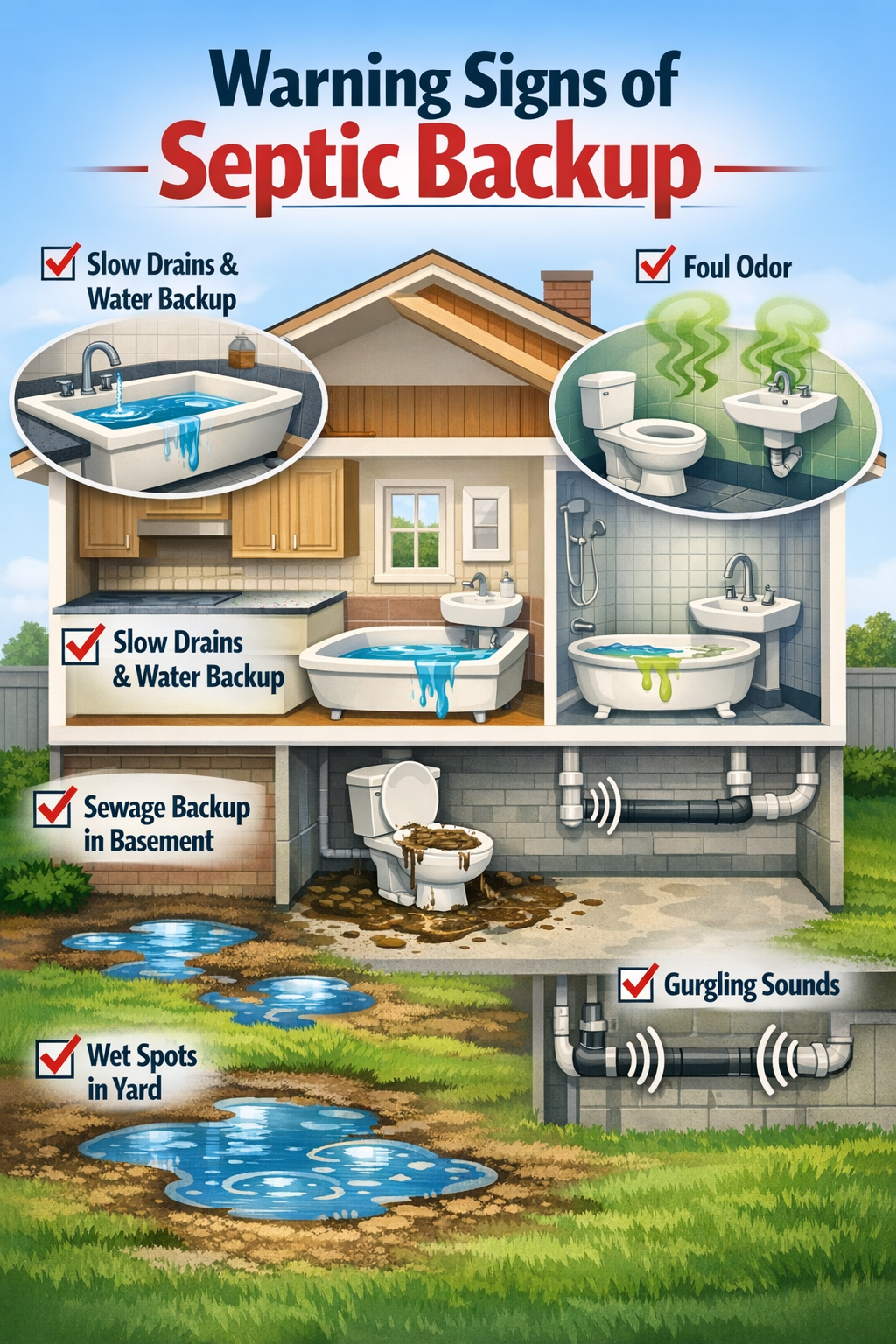
When a septic tank backs up, wastewater flows backward through your plumbing system instead of properly draining into the soil. This creates sewage backups in toilets, sinks, and floor drains, often accompanied by foul odors and potential health hazards. The backup typically results from sludge buildup, drain field saturation, or system overload that prevents normal wastewater flow.
Picture this: you flush your toilet and instead of water swirling down, it starts rising back up with an awful smell. That’s exactly what happens when septic tank backs up, and it’s every homeowner’s nightmare. I’ve seen too many families deal with this messy, expensive emergency that could have been prevented with proper understanding and maintenance.
What Are the Warning Signs of Septic Tank Backup?
Septic backup warning signs appear gradually before becoming a full emergency. The most common early indicators include slow drains throughout your house, persistent bad odors near fixtures, and gurgling sounds from toilets or sinks.
Drainage Problems Throughout Your Home
When your septic system starts failing, you’ll notice drainage issues in multiple fixtures simultaneously. This differs from a single clogged drain, which affects only one area. Slow drains in bathrooms, kitchen sinks, and laundry areas all point to septic backup problems.
Key drainage warning signs:
- Water backing up in multiple drains at once
- Toilets that won’t flush completely or refill slowly
- Bathtub or shower water draining very slowly
- Kitchen sink taking longer than normal to empty
Odors and Sounds That Signal Problems
Bad smells around your property indicate sewage isn’t processing correctly in your septic system. These odors often appear near drain fields, around the septic tank location, or coming from drains inside your home.
Warning sounds and smells include:
- Sewage odors from drains, especially floor drains
- Gurgling sounds when flushing toilets or draining sinks
- Rotten egg smells in your yard near the drain field
- Persistent bathroom odors that don’t go away with cleaning
Visible Signs in Your Yard
Your drain field and septic tank area will show physical signs when backup problems develop. Wet spots, standing water, or unusually green grass patches near your septic system indicate overflow issues.
Common mistake: Many homeowners assume wet spots in their yard come from sprinkler problems or natural drainage issues. However, if these areas smell bad or appear near your septic system location, they likely indicate backup problems requiring immediate attention.
What Causes Septic Tank Backups?
Sludge buildup from infrequent pumping causes most septic tank backups. When solid waste accumulates faster than bacteria can break it down, the tank fills beyond capacity and wastewater has nowhere to go except back through your plumbing.
Sludge Accumulation and Full Tank Issues
Normal septic tank operation depends on maintaining proper sludge levels. When sludge layers become too thick, they reduce the tank’s effective capacity and block proper water flow. Most residential septic tanks need pumping every 3-5 years, but this varies based on household size and usage patterns.
Choose professional pumping if:
- Your tank hasn’t been pumped in over 3 years
- You notice any backup warning signs
- Your household size has increased significantly
- You frequently use garbage disposals or flush inappropriate items
For homeowners looking for ongoing maintenance support, understanding how septic tanks work helps you recognize problems early and maintain proper bacterial balance.
Drain Field Saturation Problems
Saturated drain field soil cannot absorb additional wastewater, causing backups even when your tank isn’t full. Heavy rainfall, poor soil drainage, or compacted soil from vehicles can saturate the drain field and trigger backup problems.
Drain field saturation factors:
- Heavy rain periods that oversaturate soil
- Compacted soil from vehicles driving over drain field areas
- High water table levels during wet seasons
- Clay soil that naturally drains slowly
Excessive Water Usage
Using too much water in short periods overwhelms your septic system’s processing capacity. This commonly happens during holidays when multiple guests use facilities, or when running several loads of laundry consecutively.
Water usage problems include:
- Running multiple loads of laundry in one day
- Long showers or filling large bathtubs frequently
- Leaking faucets or running toilets that constantly add water
- Using dishwashers and washing machines simultaneously
FYI: Some links may be affiliate links, which means I may earn a small commission at no extra cost to you.
If you’re dealing with frequent backup issues, Septifix tablets can help maintain proper bacterial balance in your septic tank. These monthly treatments help break down waste more effectively and reduce the likelihood of sludge buildup that leads to backups.
What Happens When Septic Tank Backs Up Into Your House?
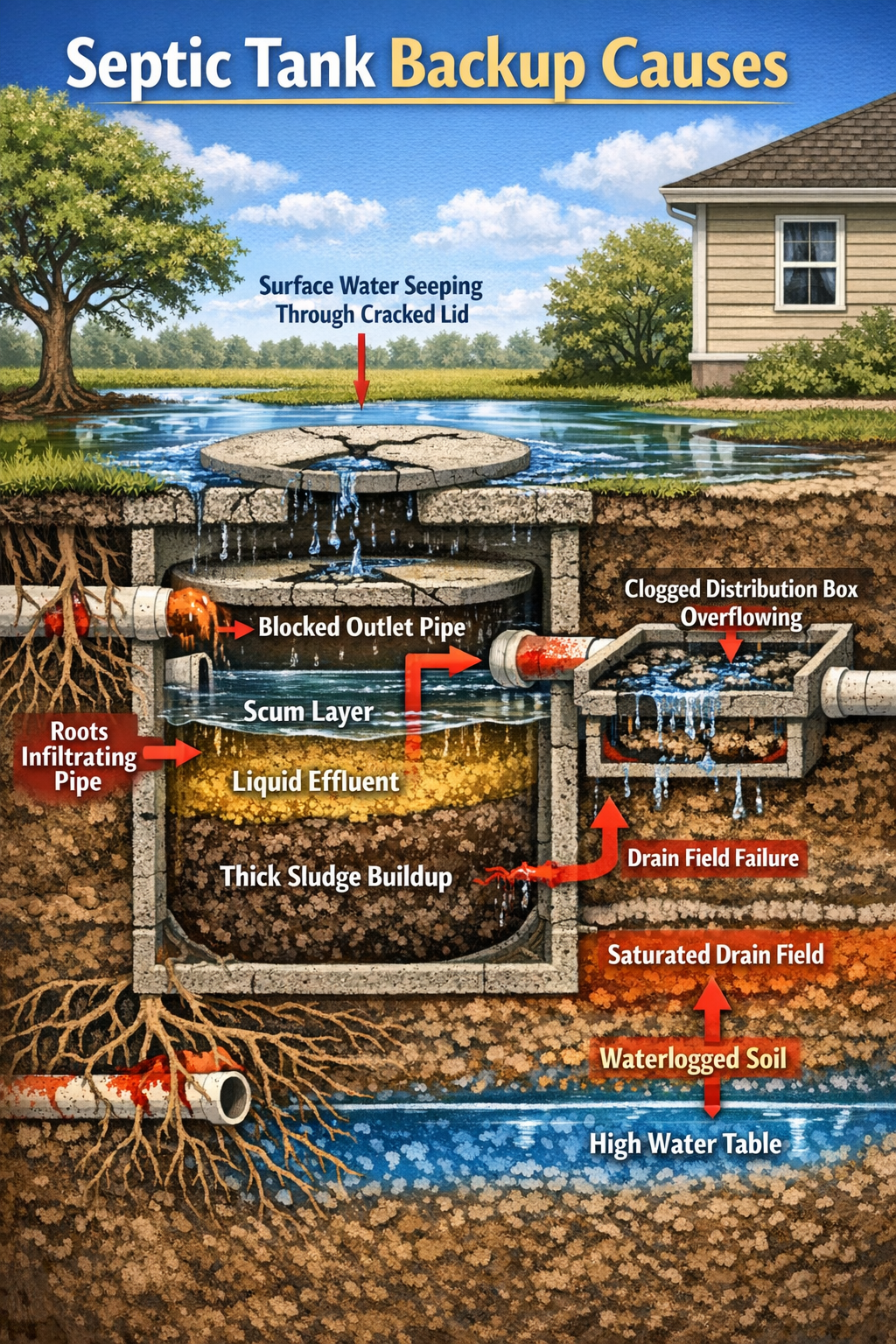
When septic backup occurs, sewage flows backward through your lowest drains first, typically basement floor drains, then moves to higher fixtures like toilets and bathtubs. This creates immediate health hazards and potential property damage requiring emergency response.
Sewage Backup Progression
Septic backups follow predictable patterns based on your home’s plumbing layout. Basement areas experience problems first because they’re closest to your septic tank’s elevation level. The backup then progresses upward through your plumbing system as pressure increases.
Typical backup progression:
- Floor drains in basements show first signs
- Basement toilets begin backing up or won’t flush
- First-floor toilets start showing slow drainage
- Bathtubs and showers begin backing up
- Upper-level fixtures may eventually be affected
Health Risks and Safety Concerns
Wastewater exposure creates serious health risks requiring immediate protective action. Raw sewage contains harmful bacteria, viruses, and parasites that cause illness through direct contact or airborne contamination.
Immediate safety measures:
- Evacuate affected areas until cleanup begins
- Avoid direct contact with contaminated water
- Turn off electricity to flooded areas if safe to do so
- Ventilate spaces to reduce airborne contaminants
- Keep children and pets away from affected areas
Property Damage Potential
Sewage backups cause extensive property damage beyond just unpleasant cleanup. Contaminated water damages flooring, walls, furniture, and personal belongings, often requiring professional restoration services.
Edge case consideration: If backup occurs during freezing weather, additional complications arise from potential pipe damage and limited access for repair crews. Plan emergency contacts in advance and know your main water shutoff location.
How Do You Handle a Septic Tank Backup Emergency?
Stop all water usage immediately and contact a septic professional for emergency service. Quick action prevents additional sewage from entering your home and limits property damage.
Immediate Response Steps
When you discover septic backup, your first actions determine how severe the damage becomes. Turn off your main water supply to prevent additional wastewater from entering an already overwhelmed system.
Emergency action checklist:
- Stop water usage – no flushing, washing, or draining
- Locate and turn off main water supply
- Document damage with photos for insurance
- Call septic professional for emergency service
- Contact insurance company if property damage occurred
- Arrange temporary facilities if toilets are unusable
Safety Precautions During Cleanup
Never attempt DIY cleanup of sewage backup without proper protective equipment and knowledge of contamination risks. Professional cleanup services have specialized equipment and training to safely handle contaminated materials.
Professional cleanup includes:
- Contaminated material removal and proper disposal
- Disinfection of affected surfaces and areas
- Moisture control to prevent mold growth
- Air quality testing and ventilation
- Restoration planning for damaged materials
When to Call Professionals
Contact septic professionals immediately for any backup situation, even minor ones. Attempting repairs without proper diagnosis often worsens problems and creates additional expenses.
Choose immediate professional help if:
- Sewage appears in any indoor drains
- Multiple fixtures drain slowly simultaneously
- You smell sewage odors inside your home
- Wet spots appear in your yard near the septic system
- Your tank hasn’t been inspected in over two years
For ongoing maintenance after resolving backup issues, learn about proper septic tank maintenance practices to prevent future emergencies.
How Can You Prevent Septic Tank Backups?
Regular pumping every 3-5 years and careful water usage prevent most septic backup problems. Preventive maintenance costs significantly less than emergency repairs and property damage cleanup.
Regular Maintenance Schedule
Establish a pumping schedule based on your household size and tank capacity rather than waiting for problems to develop. Most residential systems need service every 3-5 years, but larger families or smaller tanks may require more frequent attention.
Maintenance timeline factors:
- Household size: More people = more frequent pumping needed
- Tank size: Smaller tanks fill faster
- Garbage disposal use: Increases solid waste accumulation
- Water usage patterns: High usage requires more frequent service
Proper Water Usage Habits
Spread water usage throughout the week rather than concentrating heavy usage in single days. This allows your septic system time to process wastewater properly without becoming overwhelmed.
Smart water usage practices:
- Space laundry loads across several days
- Fix leaks promptly to avoid constant water flow
- Use water-efficient fixtures to reduce overall volume
- Avoid simultaneous heavy usage of multiple water appliances
What Not to Flush or Drain
Only flush human waste and toilet paper down toilets, and avoid putting grease, chemicals, or non-biodegradable items down any drains. These materials disrupt bacterial processes and contribute to clogs and backups.
Never flush or drain:
- Feminine hygiene products or diapers
- Cat litter or pet waste
- Cooking grease or oils
- Household chemicals or paint
- Cigarette butts or dental floss
Decision rule: If it didn’t come from your body or isn’t toilet paper, don’t flush it. When in doubt, throw it in the trash instead.
Helpful Resource for Ongoing Septic Care
If you want a simple way to maintain your septic system between professional services, Septifix tablets offer convenient monthly maintenance. These tablets help break down waste, reduce bad smells, and keep your septic tank working properly. With one easy monthly flush, you can help prevent blockages, protect your plumbing, and avoid costly repairs. While not a replacement for professional pumping and maintenance, Septifix can be a useful addition to your regular septic care routine.
What Are the Costs of Septic Tank Backup Repairs?
Emergency septic repairs typically cost $1,500-$5,000, while property damage cleanup can add thousands more depending on affected areas and contamination severity. Prevention through regular maintenance costs much less than emergency response.
Emergency Service Costs
Professional emergency septic services charge premium rates for after-hours and weekend calls. Standard pumping costs $300-$600, but emergency service can cost $800-$1,500 or more depending on your location and service availability.
Cost factors include:
- Time of service: Nights and weekends cost more
- Severity of backup: Complex problems require more time
- Accessibility: Difficult tank access increases costs
- Additional repairs: Damaged components need replacement
Property Damage and Cleanup Expenses
Sewage cleanup and restoration costs vary widely based on affected areas and contamination extent. Professional cleanup services typically charge $3-$7 per square foot for contaminated areas, plus material replacement costs.
Cleanup cost components:
- Professional cleaning services: $1,000-$3,000 for typical basement
- Flooring replacement: $2-$15 per square foot depending on material
- Drywall replacement: $1-$3 per square foot
- Personal property replacement: Varies based on damaged items
Long-term System Repairs
Backup situations often reveal underlying system problems requiring additional repairs. Drain field replacement costs $3,000-$10,000, while new septic tank installation ranges from $3,000-$7,000 depending on size and soil conditions.
For guidance on regular maintenance costs, check our complete guide to septic tank pumping costs to budget for preventive care.
FAQ
Q: How quickly does septic backup happen?
Septic backup can develop over days or weeks as warning signs appear, but the actual sewage backup into your home often happens rapidly once the system reaches capacity. Early warning signs like slow drains typically appear 1-2 weeks before major backup occurs.
Q: Can I use my plumbing during a septic backup?
No, stop all water usage immediately when backup occurs. Using toilets, sinks, or other drains will add more wastewater to an already overwhelmed system and worsen the backup situation.
Q: Will homeowner’s insurance cover septic backup damage?
Standard homeowner’s insurance typically excludes septic backup damage, but you can purchase separate sewer and drain backup coverage. Check your policy details and consider adding this coverage if you don’t have it.
Q: How long does septic backup cleanup take?
Professional cleanup typically takes 2-5 days depending on affected areas and contamination severity. Restoration work like flooring or drywall replacement can add several more days to the process.
Q: Can septic backup happen in new systems?
Yes, new septic systems can backup due to installation problems, soil issues, or excessive water usage that overwhelms system capacity. However, backups are more common in older systems with maintenance issues.
Q: What’s the difference between septic backup and regular drain clogs?
Septic backup affects multiple drains simultaneously and often includes sewage odors, while regular clogs typically affect single drains. Septic backup also may show signs in your yard like wet spots or standing water.
Q: Should I pump my septic tank after a backup?
Yes, professional pumping is typically necessary after backup to remove excess sludge and allow proper system function. The septic professional will determine if pumping alone solves the problem or if additional repairs are needed.
Q: Can heavy rain cause septic backup?
Yes, heavy rain can saturate drain field soil and prevent proper wastewater absorption, leading to backup even when your tank isn’t full. This is especially common in areas with clay soil or high water tables.
Q: How do I find my septic tank during an emergency?
Look for your septic system diagram from installation permits, or check areas 10-25 feet from your home where sewer lines exit. You can also learn how to locate your septic tank for future reference.
Q: Is septic backup dangerous to my health?
Yes, sewage backup creates serious health risks from bacteria, viruses, and parasites. Avoid direct contact with contaminated water and seek medical attention if you experience illness after exposure.
Key Takeaways
• Septic backups cause sewage to flow backward into your home through the lowest drains first, creating immediate health hazards and property damage
• Warning signs include slow drains throughout the house, persistent sewage odors, gurgling sounds, and wet spots in your yard near the septic system
• Most backups result from sludge buildup due to infrequent pumping, but drain field saturation and excessive water usage also cause problems
• Emergency response requires immediately stopping all water usage, turning off the main water supply, and calling septic professionals for service
• Prevention through regular pumping every 3-5 years, proper water usage habits, and avoiding inappropriate flushing saves thousands in emergency repair costs
• Professional cleanup is essential for sewage backup due to contamination risks and specialized equipment requirements for safe restoration
• Emergency repairs cost $1,500-$5,000 plus property damage cleanup, while preventive maintenance costs only $300-$600 every few years
• Homeowner’s insurance typically excludes septic backup damage, so consider purchasing separate sewer backup coverage for protection
• Multiple simultaneous drain problems indicate septic issues rather than simple clogs, requiring professional diagnosis and treatment
• Quick action during backup emergencies limits damage severity and reduces overall cleanup and restoration costs
Conclusion
Understanding what happens when septic tank backs up empowers you to recognize warning signs early and take appropriate action to protect your home and family. The key is remembering that septic backup is almost always preventable through regular maintenance and proper usage habits.
I’ve seen too many homeowners learn about septic backup the hard way – through expensive emergency situations that could have been avoided. By maintaining your system properly, monitoring for warning signs, and acting quickly when problems develop, you can avoid the mess, expense, and health risks of septic backup.
Your next steps should include scheduling regular septic pumping if you haven’t done so recently, learning the location of your septic tank and main water shutoff, and establishing relationships with local septic professionals before you need emergency service. Taking these preventive measures now will save you thousands of dollars and significant stress in the future.
For more detailed information about maintaining your septic system, explore our guides on septic tank maintenance and recognizing signs of system problems to keep your system running smoothly year-round.
References
[1] Why Do Septic Tanks Back Up Common Causes And Fixes – https://www.justindorseyplumbing.com/why-do-septic-tanks-back-up-common-causes-and-fixes/
[2] Septic Backing Up In The Rain – https://www.atsenvironmental.com/blog/septic-backing-up-in-the-rain/
[6] Your Guide To Successful Septic Tank Maintenance – https://www.biocleanseptic.in/blogs/news/your-guide-to-successful-septic-tank-maintenance