
Septic Tank Backing Up After Pumping: Complete Troubleshooting Guide
Last updated: January 15, 2026
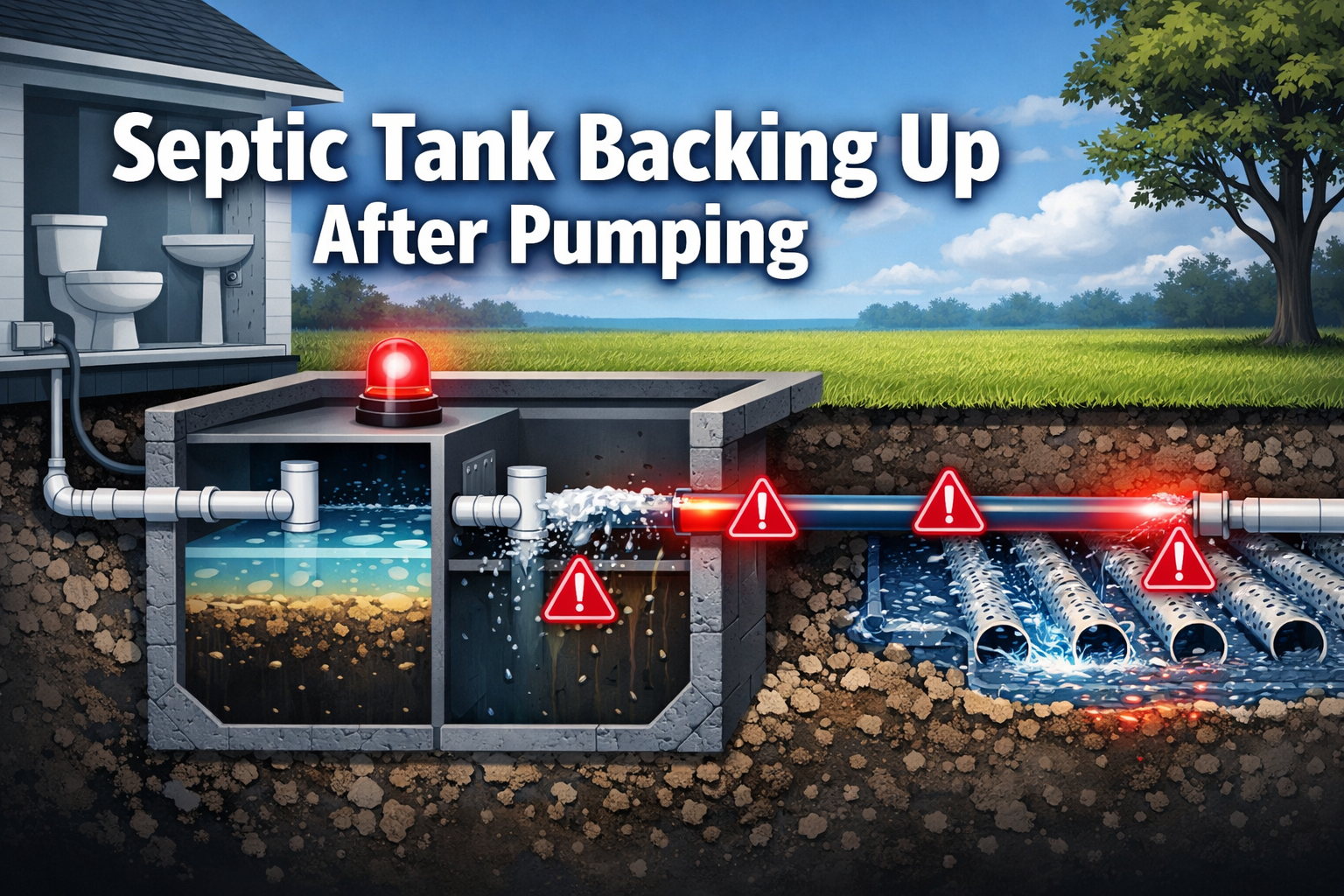
Nothing’s more frustrating than dealing with sewage backup just days or weeks after paying for professional septic tank pumping. If your septic tank backing up after pumping has left you confused and concerned, you’re not alone—this issue affects thousands of homeowners each year and often indicates problems beyond the tank itself.
Key Takeaways
• Drain field problems are the most common cause of backup after pumping, not tank issues
• Saturated soil conditions from heavy rain can prevent proper wastewater absorption even with a clean tank
• Blocked pipes or improper slopes can trap wastewater and create backup regardless of tank condition
• Professional system evaluation is essential since pumping alone doesn’t address underlying drainage issues
• Preventive maintenance including bacterial balance and proper usage habits can prevent most backup problems
Quick Answer
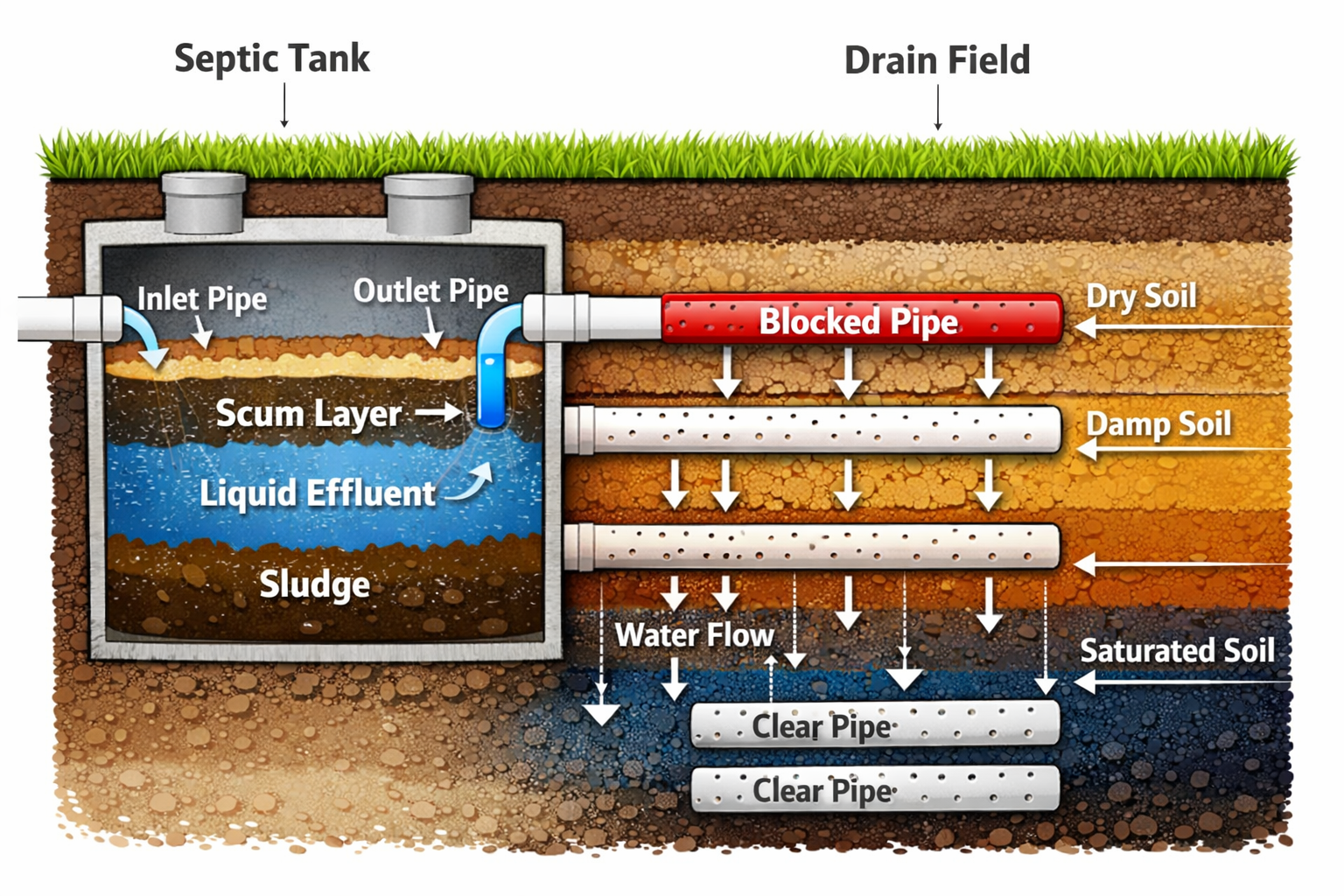
A septic tank backing up after pumping typically indicates drain field malfunction, saturated soil conditions, or blocked pipes rather than tank problems. The issue occurs because pumping only cleans the tank but doesn’t address problems in the distribution system or soil absorption area that prevent proper wastewater flow.
What Causes Septic Tank Backing Up After Pumping?
Drain field malfunction is the primary culprit when your septic system backs up despite recent pumping. The tank itself may be clean, but if wastewater can’t flow properly from the tank to the drain field or absorb into the soil, backup becomes inevitable.
Common underlying causes include:
• Saturated drain field soil from heavy rainfall or snowmelt
• Clogged distribution pipes leading to the absorption area
• Compacted soil in the drain field from vehicle traffic or construction
• Biomat buildup on soil surfaces that blocks water infiltration
• Broken or disconnected pipes in the distribution system
• Improper system sizing for household wastewater volume
The key point many homeowners miss is that septic systems work as integrated units. Even with a perfectly clean tank, problems anywhere in the distribution or absorption process will cause backup issues.
Choose professional drain field inspection if: backup occurs within 30 days of pumping, problems worsen after rainfall, or you notice soggy areas in your yard above the drain field.
How Does Soil Saturation Affect Your System After Pumping?
Saturated soil conditions reduce the drain field’s absorption capacity, causing backup even when the septic tank is completely clean. Heavy rain, snowmelt, or high groundwater levels can overwhelm the soil’s ability to process wastewater effectively.
Soil saturation impacts include:
• Reduced infiltration rates as water-logged soil can’t absorb additional liquid
• Hydraulic overload when incoming wastewater exceeds soil processing capacity
• Temporary system failure during wet weather periods
• Increased hydrostatic pressure that forces wastewater back toward the house
Weather-related backup patterns:
- Problems appear 24-48 hours after heavy rainfall
- Issues resolve gradually as soil dries out
- Backup intensity correlates with precipitation amounts
- Slow drains develop before complete backup occurs
Choose temporary water conservation if: backup coincides with wet weather, your yard shows standing water, and the problem improves during dry periods. However, recurring weather-related backup indicates drain field capacity issues requiring professional evaluation.
Why Do Blocked Pipes Cause Backup Despite Tank Pumping?
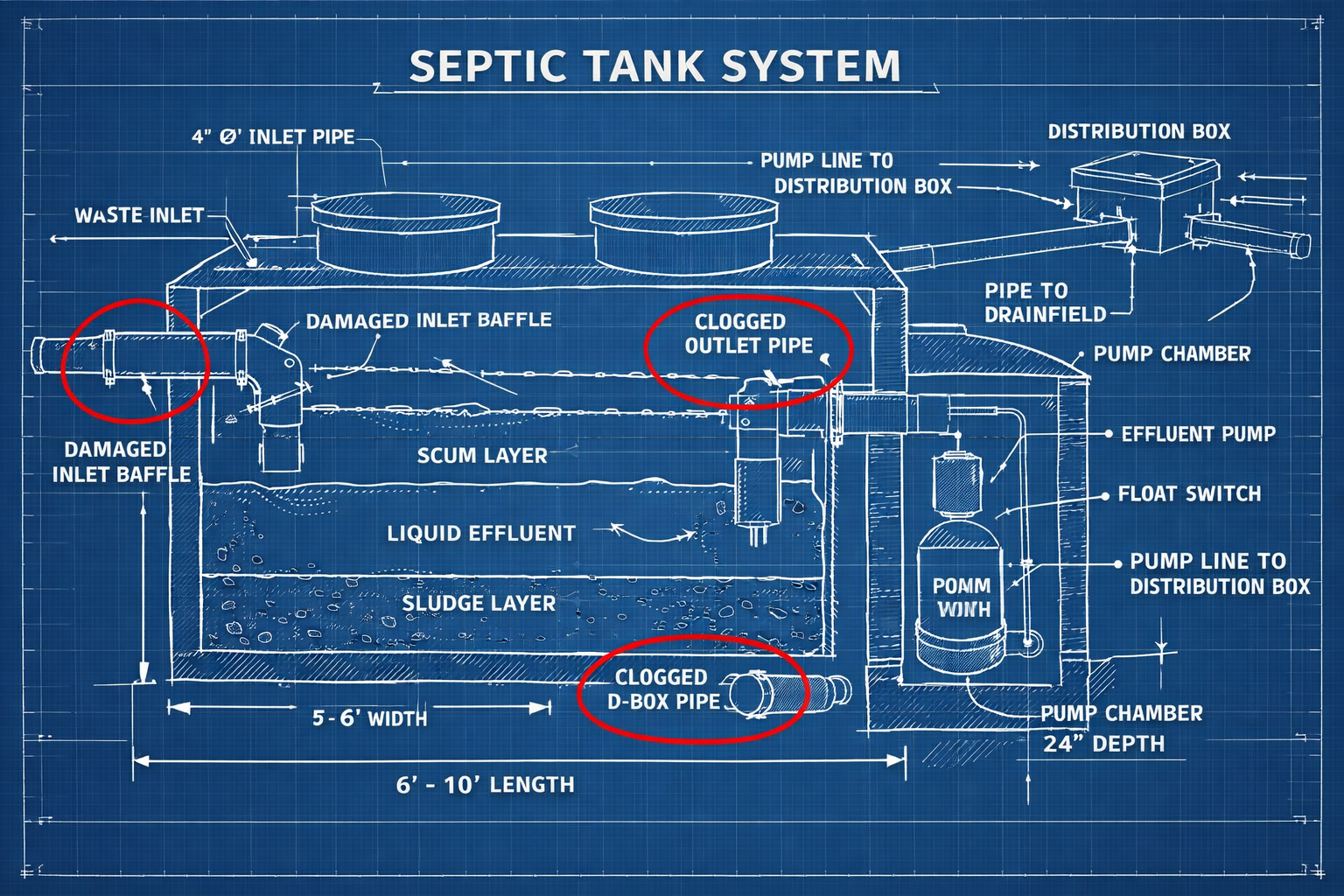
Blocked pipes or overflow pipes can trap wastewater in the tank rather than directing it properly to the drain field. These obstructions prevent normal flow even when the tank has adequate capacity after pumping.
Common pipe blockage locations:
• Outlet baffle where solids can accumulate and block the exit
• Distribution box that directs flow to multiple drain field lines
• Lateral pipes in the drain field that distribute wastewater
• Effluent filter if your system includes this component
Blockage warning signs:
- Gurgling sounds from drains and toilets
- Septic odors near the tank or distribution box
- Uneven drainage between different household fixtures
- Backup occurs regardless of water usage levels
Inadequate pipe slope also prevents proper flow into the drain field—a factor frequently missed during basic repair calls. Pipes installed without sufficient grade can’t move wastewater effectively, leading to accumulation and backup.
Choose professional pipe inspection if: backup occurs immediately after pumping, you hear unusual drain sounds, or problems affect only certain fixtures in your home.
What Role Does Bacterial Balance Play in Post-Pumping Problems?
Bacterial balance in the septic tank is critical for proper waste breakdown, and pumping can temporarily disrupt this ecosystem. Without adequate bacterial populations, solid waste accumulates faster and can create flow restrictions even in a recently pumped tank.
Bacterial disruption factors:
• Aggressive pumping that removes beneficial bacteria along with waste
• Chemical interference from harsh cleaners, bleach, or antibacterial products
• Medication effects from antibiotics or other pharmaceuticals
• Lack of organic matter to feed bacterial populations
FYI: Some links may be affiliate links, which means I may earn a small commission at no extra cost to you.
Restoring bacterial balance:
- Reduce chemical cleaner usage for 2-3 weeks after pumping
- Consider bacterial treatments to reestablish healthy populations
- Septifix tablets can help restore bacterial balance with monthly treatments that break down waste, reduce odors, and support proper tank function
- Avoid garbage disposal use immediately after pumping
Choose bacterial restoration if: backup develops 1-2 weeks after pumping, you’ve used harsh chemicals recently, or your household takes antibiotics regularly.
How Can You Diagnose the Real Problem Behind Your Backup?
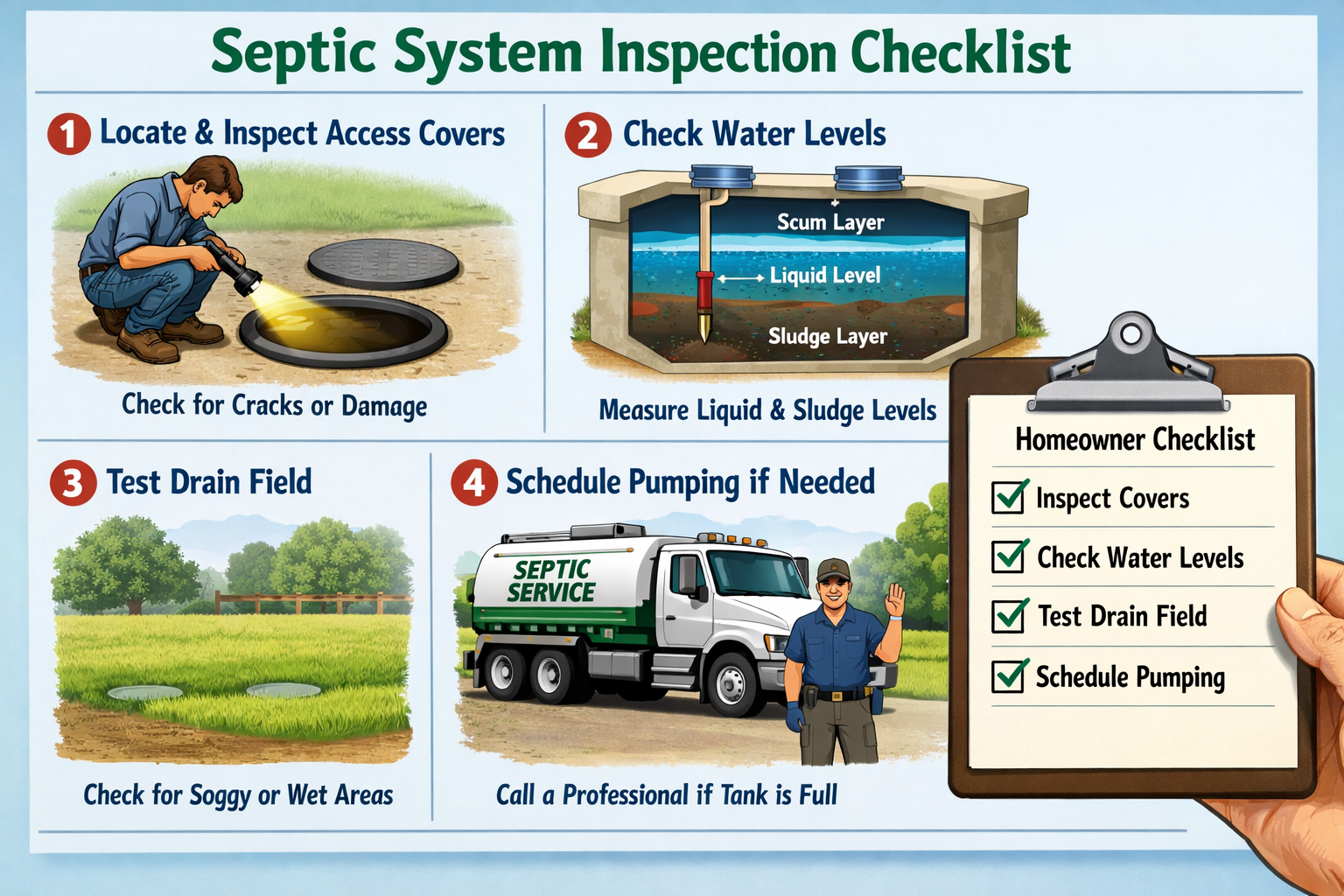
Tank pumping alone is insufficient for proper diagnosis; the entire system from tank to drain field to soil must be evaluated. Professional assessment can identify the actual cause and prevent recurring problems.
Diagnostic steps for homeowners:
- Check recent weather patterns – note if backup correlates with rainfall
- Inspect visible system components – look for standing water or odors
- Monitor drainage patterns – identify which fixtures drain slowly
- Review household chemical usage – consider impacts on bacterial balance
- Document backup timing – track when problems occur relative to pumping
Professional diagnostic tools:
- Camera inspection of pipes and distribution systems
- Soil percolation testing in the drain field area
- Flow rate measurements through system components
- Bacterial population analysis in tank contents
| Symptom | Likely Cause | Action Needed |
|---|---|---|
| Backup after rain | Soil saturation | Drain field evaluation |
| Immediate post-pump backup | Pipe blockage | Distribution system inspection |
| Gradual backup over weeks | Bacterial imbalance | Treatment and usage review |
| Recurring monthly backup | System undersizing | Professional capacity assessment |
Choose comprehensive evaluation if: you’ve experienced backup multiple times, simple fixes haven’t worked, or your tank fills quickly despite normal usage.
What Emergency Steps Should You Take When Backup Occurs?
Full drainfield failure can occur despite a clean tank, sometimes requiring immediate action to prevent property damage. Quick response protects your home and helps identify the severity of the problem.
Immediate emergency actions:
- Stop all water usage – avoid flushing toilets, running washing machines, or taking showers
- Locate the main water shutoff – be prepared to stop incoming water if backup worsens
- Document the situation – take photos for insurance and contractor reference
- Contact emergency septic service – many companies offer 24/7 backup response
- Protect your family – avoid contact with backed-up wastewater
Safety considerations:
- Sewage contains harmful bacteria and pathogens
- Electrical hazards may exist if backup reaches outlets or appliances
- Structural damage can occur if backup continues unchecked
- Professional emergency guidance provides specific steps for severe backup situations
Temporary backup management:
- Use portable toilets or visit public facilities
- Take showers at gyms or friends’ homes
- Wash dishes and laundry elsewhere
- Minimize water entering the system until repairs are complete
Choose emergency service if: backup enters your home, standing water appears in your yard, or you smell sewage odors inside the house.
How Can You Prevent Septic Tank Backing Up After Pumping?
Common red flags indicating incomplete diagnosis include recurring issues every few months and problems appearing only after rainfall. Prevention focuses on maintaining the entire system, not just the tank itself.
Comprehensive prevention strategies:
System maintenance:
- Schedule pumping every 3-5 years based on household size
- Inspect and clean effluent filters annually
- Monitor drain field areas for signs of saturation or damage
- Test soil absorption capacity every 5-10 years
Usage habits:
- Spread laundry and dishwashing throughout the week
- Fix leaky faucets and running toilets promptly
- Use septic-safe toilet paper and cleaning products
- Avoid flushing non-biodegradable items
Bacterial support:
- Limit harsh chemical usage
- Consider monthly bacterial treatments like Septifix tablets that maintain healthy waste breakdown and prevent system overload
- Avoid antibacterial soaps and excessive bleach
- Monitor signs of bacterial imbalance such as slow drains or odors
Professional monitoring:
- Annual system inspections by qualified technicians
- Drain field evaluation every 3-5 years
- Soil testing if backup problems occur repeatedly
- Distribution system maintenance as recommended
Choose proactive maintenance if: you want to avoid emergency repairs, your system is over 15 years old, or you’ve experienced any backup issues in the past.
When Should You Call a Professional for Septic Tank Backing Up After Pumping?
Professional intervention becomes essential when backup occurs despite recent pumping, as this typically indicates complex system problems beyond basic maintenance. Attempting DIY repairs can worsen drainage issues and create expensive damage.
Call immediately for:
- Backup within 30 days of professional pumping
- Sewage odors inside your home
- Standing water in the drain field area
- Multiple fixtures backing up simultaneously
- Recurring problems every few months
Professional services needed:
- System diagnosis using cameras and flow testing equipment
- Drain field rehabilitation including soil treatment or pipe replacement
- Distribution system repair for broken or clogged components
- Soil absorption testing to determine field capacity
- Bacterial restoration with commercial-grade treatments
Questions to ask contractors:
- Do you inspect the entire system or just the tank?
- What diagnostic tools do you use for drain field evaluation?
- Can you provide written estimates for different repair options?
- How long do your repairs typically last?
- Do you offer maintenance plans to prevent future problems?
Choose experienced contractors if: they offer comprehensive system evaluation, use modern diagnostic equipment, provide detailed written estimates, and have positive reviews for complex septic repairs.
FAQ
Q: How soon after pumping should I worry about backup?
A: Contact a professional if backup occurs within 30 days of pumping, as this typically indicates drain field or distribution system problems rather than tank issues.
Q: Can heavy rain cause backup even with a clean tank?
A: Yes, saturated soil conditions can prevent proper wastewater absorption and cause backup regardless of tank condition, especially during prolonged wet weather periods.
Q: Will pumping my tank more frequently solve backup problems?
A: No, frequent pumping won’t fix underlying drain field or pipe problems that cause backup after pumping—professional system evaluation is needed instead.
Q: How much does it cost to fix backup problems after pumping?
A: Costs range from $200-500 for pipe cleaning to $3,000-8,000 for drain field replacement, depending on the underlying problem severity and local labor rates.
Q: Can I use chemical drain cleaners to fix septic backup?
A: Never use chemical drain cleaners with septic systems, as they can kill beneficial bacteria and worsen backup problems—use septic-safe treatments only.
Q: How do I know if my drain field is failing?
A: Signs include soggy areas above the drain field, sewage odors outdoors, backup after rainfall, and consistently slow drains throughout your home.
Q: Should I add bacteria treatments after pumping?
A: Yes, bacterial treatments can help restore the ecosystem disrupted by pumping and support proper waste breakdown to prevent future backup issues.
Q: Can tree roots cause backup after tank pumping?
A: Tree roots can block distribution pipes and drain field lines, causing backup even with a clean tank—professional inspection can identify root intrusion problems.
Q: How long do septic repairs typically take?
A: Simple pipe repairs take 1-2 days, while drain field replacement can require 3-7 days depending on soil conditions and permit requirements.
Q: Is backup after pumping covered by homeowner’s insurance?
A: Coverage varies by policy, but many insurers exclude septic system failures—check your specific policy and consider septic system insurance if available.
Q: Can I prevent backup by using less water?
A: Water conservation helps but won’t solve underlying system problems—professional repair is needed for drain field or distribution system failures.
Q: What’s the difference between backup and slow drains?
A: Slow drains indicate developing problems, while backup means wastewater is returning to your home—both require professional attention but backup is more urgent.
Helpful Resource for Long-Term Septic Health
If you want a simple way to support your septic system’s long-term health, Septifix tablets offer convenient monthly maintenance that helps break down waste, reduce odors, and maintain proper bacterial balance. While not a solution for major system problems, these treatments can help prevent the bacterial imbalances that sometimes contribute to backup issues after pumping.
Conclusion
Septic tank backing up after pumping typically indicates problems beyond the tank itself, most commonly involving drain field malfunction, saturated soil conditions, or blocked distribution pipes. Understanding that your septic system works as an integrated unit—from tank to drain field to soil absorption—helps you recognize why pumping alone may not solve backup problems.
The key to resolving post-pumping backup lies in comprehensive system evaluation rather than repeated tank pumping. Professional diagnosis can identify whether you’re dealing with temporary soil saturation, permanent drain field failure, or distribution system blockages that require specific repair approaches.
Your next steps should include:
- Documenting when backup occurs relative to weather and water usage
- Scheduling professional system evaluation if backup persists
- Implementing preventive maintenance including bacterial balance support
- Considering water conservation during wet weather periods
- Planning for potential drain field repairs if problems continue
Remember that proper septic system maintenance involves more than just tank pumping—it requires attention to the entire wastewater treatment and disposal process. By taking a comprehensive approach to diagnosis and prevention, you can resolve current backup issues and prevent future problems that could lead to expensive emergency repairs.
References
[1] Why Is My Septic Tank Overflowing After Being Pumped Common Causes Explained – https://www.splashplumbing.com/why-is-my-septic-tank-overflowing-after-being-pumped-common-causes-explained/
[2] Why Is My Septic System Still Backing Up After Troubleshooting – https://biomicrobics.com/uncategorized/why-is-my-septic-system-still-backing-up-after-troubleshooting/
[4] Septictank Overflow Complete Guide – https://www.vdwws.com/blog/septictank-overflow-complete-guide